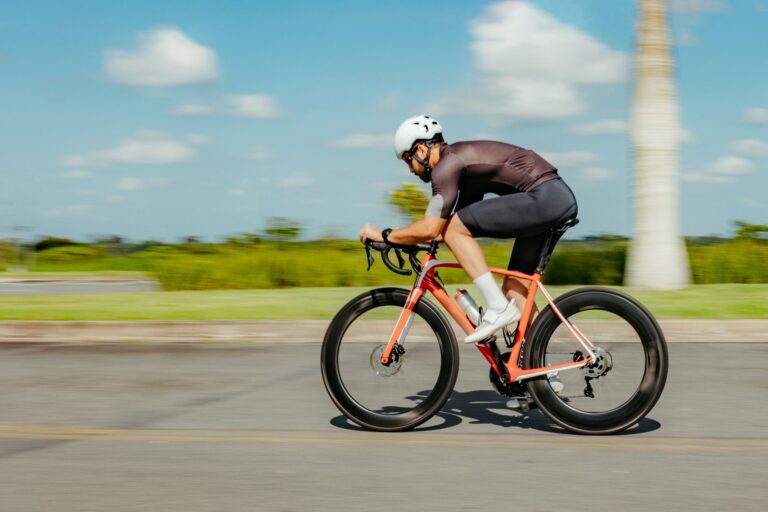
The best free replacement for a paid trainer subscription is a pair of apps: a free indoor-training app plus a free ride-logging app. The first handles structured workouts and virtual rides, the second records outdoor rides and fitness trends. A trainer subscription here means a monthly indoor-cycling service that controls a smart trainer and assigns workouts. You can rebuild that core function without paying by matching free tools to indoor days, outdoor days, and simple planning.
Table of Contents
- What a free setup covers well
- Which free indoor apps handle trainer workouts?
- Which free apps handle outdoor rides and routes?
- How do you follow a plan without a paid coach?
- Where do free apps fall short?
- Frequently Asked Questions
What a free setup covers well
A free setup covers the three tasks most riders use daily. It can run a workout, record a ride, and show progress over weeks. Many riders need little more to stay consistent through winter. Control of a smart trainer is the key function.
Look for a free indoor app that supports Bluetooth and ANT+ connections, ERG mode, and workout import. ERG mode means the app sets resistance for you during intervals. Logging ties indoor and outdoor riding together. A ride-logging app stores distance, time, elevation, heart rate, and power in one place. That shared history makes fitness changes easier to see.
Which free indoor apps handle trainer workouts?
Indoor apps replace the workout player in a paid subscription. They display target power, guide intervals, and simulate hills or drafting in a virtual world. Riders often mentioned as free entry points include MyWhoosh for virtual riding and the free tiers of broad training platforms. Choose by trainer compatibility first, then by workout choice.
Check that the app finds your trainer, heart-rate monitor, and cadence sensor before you commit. Then look for a workout library, custom-workout builder, and easy export to other services. A practical test ride helps. Try one short interval session and one free ride or virtual route. Keep the app that holds a stable connection, shows clear targets, and saves correctly to your log.
Which free apps handle outdoor rides and routes?
Outdoor apps replace route tracking, navigation cues, and basic post-ride review. Common free options include the free tier of Strava for recording and social training logs, plus route planners with free tiers. Pick one main log so all rides live in one timeline. Route tools matter more than social features for many riders.
Look for route building, turn cues, offline maps where offered, and simple sharing to a bike computer. A clear map and reliable recording beat extra charts. Sync keeps the two-app system simple. Connect the indoor app to the outdoor log so virtual rides appear automatically. Then review weekly totals, long-ride pace, and interval completion in one place.
How do you follow a plan without a paid coach?
You can follow a simple repeatable week with free workouts. Set two harder days, one long easy ride, and fill other days with short spins or rest. Use the indoor app for intervals and the log for the long ride.
Build sessions from effort, heart rate, or power: Perceived effort works when you lack a power meter. Rate each interval from 1 to 10 and aim for the same score each week. Heart rate is slower to respond, so use it for steady efforts rather than short sprints.
- Warm up for 10 to 15 minutes with a few short accelerations.
- Ride 3 to 5 intervals of 5 to 10 minutes at hard but controlled effort.
- Spin easy for equal time between intervals, then cool down.
- Repeat the same session weekly and add one interval or a few minutes when it feels manageable.
Where do free apps fall short?
Free apps often limit advanced analysis, race series, custom coaching, and large route libraries. Live group events may be smaller, and support can be slower. Check current limits before a key training block, since free tiers change. Hardware and data gaps cause most frustration.
A dropped sensor, wrong wheel size, weak Bluetooth signal, or paired shoe and watch app can spoil a workout. Test sensors, charge monitors, and record a backup on a bike computer for important rides. Keep one manual record of key sessions. Note date, workout shape, average power or heart rate, and how it felt. That short log preserves progress if an app changes features or you switch tools.
Frequently Asked Questions
Do I need a smart trainer to use a free indoor app?
No. A smart trainer gives automatic resistance control, but many apps also work with a basic trainer plus speed, cadence, and heart-rate sensors.
Can free apps share data with each other?
Many do through built-in connections or common file formats. Link accounts once, then confirm that a test ride appears in your main log.
How do I stay safe riding with a phone outdoors?
Mount the phone securely, download the route in advance where offered, and keep alerts brief. Stop fully before adjusting the route.