To navigate using your phone on gravel bike routes, mount your phone securely on your handlebars using a dedicated cycling mount, download offline maps before your ride, and use a navigation app designed for cycling that includes gravel and unpaved road data. The most reliable setup combines a waterproof case or mount with an app like Komoot, Ride with GPS, or Gaia GPS that allows you to download route tiles for areas where cell service drops out””which happens frequently on remote gravel roads. Consider a rider planning to tackle a 60-mile gravel route through rural farmland.
Even with full cell coverage at the start, they might encounter dead zones spanning 10 to 15 miles in agricultural areas. Without pre-downloaded maps, their phone screen shows nothing but a blue dot in a gray void. With offline maps prepared beforehand, they maintain turn-by-turn directions and can see the road network regardless of signal strength. This article covers the essential gear for mounting your phone safely, how to choose and configure navigation apps specifically for gravel riding, strategies for preserving battery life on long routes, and troubleshooting common problems riders encounter when their digital navigation meets unpaved reality.
Table of Contents
- What Are the Best Phone Navigation Apps for Gravel Bike Routes?
- Choosing a Secure Phone Mount for Gravel Riding Conditions
- Battery Management Strategies for All-Day Gravel Adventures
- Troubleshooting GPS Signal Issues on Remote Gravel Roads
- Using Phone Navigation Alongside Paper Maps
- How to Prepare
- How to Apply This
- Expert Tips
- Conclusion
- Frequently Asked Questions
What Are the Best Phone Navigation Apps for Gravel Bike Routes?
The leading navigation apps for riders-on-a-tight-budget/” title=”Best Budget Gravel Bikes for Riders on a Tight Budget”>gravel cycling include Komoot, Ride with GPS, Gaia GPS, and to a lesser extent, Google Maps. Each has distinct strengths depending on how you ride. Komoot excels at route planning with its surface-type indicators that show pavement, gravel, and singletrack segments in different colors. Ride with GPS offers the largest database of user-created routes and integrates well with cycling computers if you use both. Gaia GPS provides the most detailed topographic information, which matters when elevation changes affect your energy management. The choice often comes down to route availability in your area.
In the American Midwest, Ride with GPS tends to have more documented gravel routes because of the strong gravel racing scene there. In Europe, Komoot dominates because of its early adoption in Germany and expansion across the continent. Checking which app your local cycling community uses can save time””you can download routes others have already tested rather than creating everything from scratch. Google Maps deserves mention as a backup option despite its cycling directions favoring paved roads. The satellite view layer can help identify road surfaces when other apps show conflicting information. However, relying solely on Google Maps for gravel navigation leads to frequent rerouting attempts when the algorithm decides a nearby paved road would be “faster.”.
Choosing a Secure Phone Mount for Gravel Riding Conditions
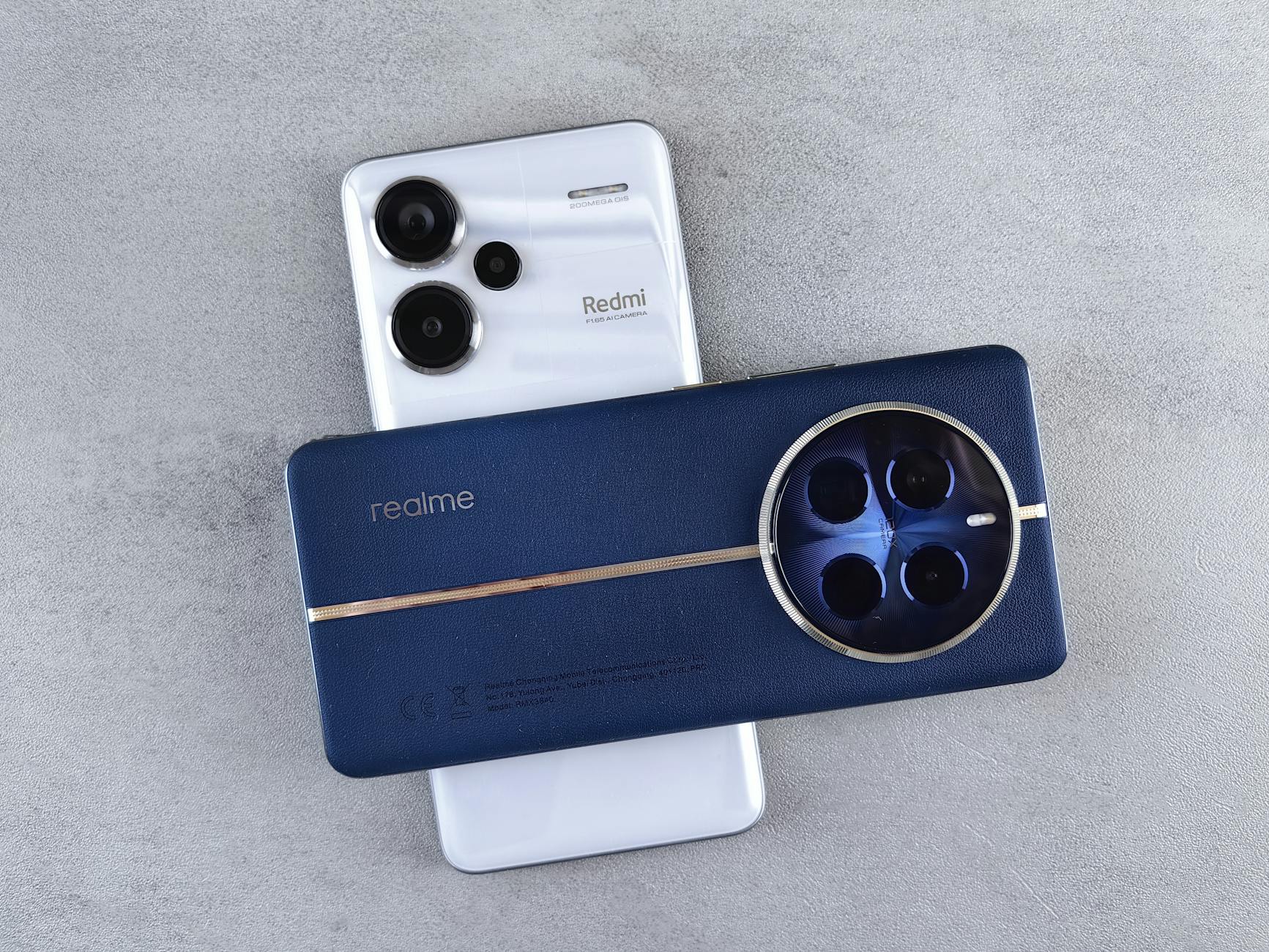
Gravel riding produces substantially more vibration than road cycling, which makes mount selection critical for both phone security and long-term device health. Stem-mounted options using rubber band systems like Quad Lock or SP Connect provide the most stable attachment because they place the phone closer to the frame’s center. Handlebar mounts positioned on the bar tops experience more lateral movement and can loosen over extended rough sections. The vibration issue extends beyond simply dropping your phone. Riders have reported camera stabilization failures after hundreds of miles of gravel vibration, particularly on iPhones with their optical image stabilization systems. Some manufacturers now recommend vibration-damping mounts specifically to address this hardware concern. The Quad Lock vibration dampener adds about $20 to the setup cost but may prevent expensive camera repairs. However, if you primarily ride smooth gravel roads””well-maintained county roads with minimal washboard surfaces””a basic handlebar mount works adequately. The concern applies most to rough, unmaintained roads with significant texture or to riders who accumulate substantial gravel miles weekly. Occasional gravel riders on good surfaces face less risk than dedicated gravel racers training daily on deteriorated roads.
## How to Download and Manage Offline Maps Before Your Ride Downloading offline maps requires planning the evening before your ride rather than hoping for signal at the trailhead parking lot. In Komoot, you navigate to the planned route, select the download option, and choose the map detail level. The app downloads both the route line and surrounding map tiles, typically consuming 50 to 200 megabytes depending on the area size. Ride with GPS follows a similar process through its offline maps section in settings. The coverage area around your route matters more than most riders initially expect. A downloaded route only includes tiles along that specific path. If you need to detour because of unexpected road closures””a common occurrence on rural gravel where seasonal flooding, agricultural equipment, or private landowner decisions can block access””you need surrounding area maps to navigate alternatives. Downloading a larger region rather than just the route line prevents getting stranded with no map data when plans change. For a specific example, downloading the entire Dirty Kanza route area in Kansas would require approximately 800 megabytes of map data, while downloading just the route line needs only about 150 megabytes. The larger download lets you handle detours and explore alternate connections. The smaller download saves storage but leaves you dependent on cell signal for any deviation from the planned path.
Battery Management Strategies for All-Day Gravel Adventures
Phone batteries drain rapidly during navigation because of continuous GPS polling, screen brightness demands, and cellular radio searching for signal in weak coverage areas. A phone that lasts 12 hours with normal use might die in four hours running navigation with the screen on. The simplest mitigation involves carrying a portable battery pack“”a 10,000 mAh pack adds roughly 200 grams but provides two to three full phone charges. Screen management offers the most significant power savings without additional weight. Setting navigation to audio-only mode with the screen off between turns reduces consumption dramatically.
Checking the screen every few miles at intersections rather than watching continuously can extend battery life from four hours to eight or more. Most cycling navigation apps offer “pocket mode” or similar features that turn off the screen while maintaining route tracking. The tradeoff involves situational awareness versus battery preservation. Audio-only navigation works well on routes with clear turns and good trail markings, but in complex areas with multiple unmarked intersections””common in rural gravel networks””visual confirmation becomes necessary. Riders tackling unfamiliar routes with complex navigation typically keep the screen active and accept the battery penalty, carrying larger power banks to compensate.

Troubleshooting GPS Signal Issues on Remote Gravel Roads
GPS signal problems manifest as position jumping, route deviation warnings despite being on course, or complete signal loss showing a stationary dot. Heavy tree canopy blocks satellite signals, and riding through dense forests or along routes carved through woodland can degrade accuracy significantly. Deep valleys and canyon roads similarly limit the visible satellite count. Modern phones use both GPS and cellular tower triangulation for positioning.
When cell signal disappears, the phone relies entirely on satellite reception, which may be less precise than the hybrid positioning used in areas with coverage. Riders notice this as increased position scatter””the dot might jump 50 meters off the road randomly””or delayed updates where movement appears choppy rather than smooth. Practical solutions include pausing under open sky periodically to let the GPS lock update, accepting that position dots might wander in forested sections while trusting the general direction, and learning to recognize when false readings occur. The app might insist you’ve gone off course when the road simply bends through trees and satellite geometry causes a temporary offset. Waiting 30 seconds in an open area usually resolves these phantom deviations without actual navigation errors.
Using Phone Navigation Alongside Paper Maps
Despite digital convenience, experienced gravel riders often carry paper maps as backup, particularly in areas with extended signal dead zones or for rides exceeding six hours where battery failure becomes realistic. Paper topographic maps or printed route cue sheets weigh almost nothing and never run out of power. The combination provides redundancy that pure digital navigation cannot match.
A common approach involves printing a simplified cue sheet showing only turns and major landmarks while using the phone for real-time position verification. The cue sheet handles 90 percent of navigation needs”””turn left at mile 23.4 onto CR 450″””while the phone map confirms position when uncertainty arises. This method preserves phone battery by reducing screen time while maintaining the visual mapping capability when needed.

How to Prepare
- Update your navigation app to the latest version and verify your subscription or premium features remain active, as some offline map capabilities require paid plans that may have lapsed.
- Download offline maps for the route area plus a surrounding buffer of at least five miles in each direction to handle potential detours””skipping this step causes the majority of gravel navigation failures.
- Fully charge your phone overnight and confirm your power bank is also charged if carrying one.
- Test your phone mount attachment before the ride, checking that the phone sits securely and the screen remains visible without requiring dangerous head positions while riding.
- Enable airplane mode with GPS active to maximize battery life while preserving navigation function””many riders miss this step and wonder why their battery drains searching for cell signal in remote areas.
How to Apply This
- Glance at the screen only when stopped or on straight, smooth sections where you can safely look down””checking navigation mid-corner or on rough terrain causes crashes that ruin rides and damage equipment.
- Listen for audio turn notifications rather than watching the screen continuously, reserving visual checks for confirming unfamiliar intersections or verifying position in complex areas.
- When the GPS shows you off course but the road surface and direction feel correct, stop under open sky for 30 seconds to let the position update rather than immediately following rerouting suggestions that might lead you astray.
- If your phone dies or malfunctions, note your last confirmed position and use road signs, sun position, and terrain features to navigate toward known landmarks or roads””even without electronics, maintaining calm and using basic orientation keeps minor inconveniences from becoming emergencies.
Expert Tips
- Pre-ride your route virtually using the navigation app’s simulation feature to familiarize yourself with upcoming turns and identify potential confusion points before encountering them in person.
- Set your phone screen brightness to manual mode rather than automatic, as the sensor may overreact to shade variations and drain battery adjusting constantly.
- Do not rely exclusively on navigation apps for routes through private property or gated areas””apps may show roads that require landowner permission or have seasonal closures not reflected in the data.
- Consider starting difficult navigation sections earlier in your ride while your attention and battery remain strong, saving simpler road sections for the return when both may be depleted.
- Mark a “bailout” waypoint at the nearest town or known location partway through your route so you can navigate there directly if problems arise rather than backtracking the entire route.
Conclusion
Phone navigation transforms gravel riding by opening routes that would otherwise require extensive paper map study or local knowledge. The key elements include selecting an app with strong gravel road data and offline capabilities, mounting the phone securely enough to handle rough surfaces, downloading maps before losing signal, and managing battery consumption to last the entire ride. These fundamentals work regardless of which specific app or mount you choose.
Building navigation confidence takes a few rides of deliberate practice. Start with shorter gravel routes where you could find your way home without electronics, testing your setup and developing habits before committing to remote century rides. As your trust in the system grows and your routines become automatic, phone navigation becomes another tool as reliable as your gears and brakes””something that simply works while you focus on the ride itself.
Frequently Asked Questions
How long does it typically take to see results?
Results vary depending on individual circumstances, but most people begin to see meaningful progress within 4-8 weeks of consistent effort. Patience and persistence are key factors in achieving lasting outcomes.
Is this approach suitable for beginners?
Yes, this approach works well for beginners when implemented gradually. Starting with the fundamentals and building up over time leads to better long-term results than trying to do everything at once.
What are the most common mistakes to avoid?
The most common mistakes include rushing the process, skipping foundational steps, and failing to track progress. Taking a methodical approach and learning from both successes and setbacks leads to better outcomes.
How can I measure my progress effectively?
Set specific, measurable goals at the outset and track relevant metrics regularly. Keep a journal or log to document your journey, and periodically review your progress against your initial objectives.
When should I seek professional help?
Consider consulting a professional if you encounter persistent challenges, need specialized expertise, or want to accelerate your progress. Professional guidance can provide valuable insights and help you avoid costly mistakes.
What resources do you recommend for further learning?
Look for reputable sources in the field, including industry publications, expert blogs, and educational courses. Joining communities of practitioners can also provide valuable peer support and knowledge sharing.